USB-Stick funktioniert nicht mehr/en: Unterschied zwischen den Versionen
Uslex (Diskussion | Beiträge) Die Seite wurde neu angelegt: „*Mr. Freiwald writes in this [https://www.freiwaldsoftware.de/forum/viewtopic.php?p=242002#p242002 post] in the forum:“ |
Uslex (Diskussion | Beiträge) Die Seite wurde neu angelegt: „The USB stick should not be constantly plugged in and unplugged, but should ideally remain permanently connected to the PC to which the model railway is connected. Using a short USB cable for the stick is highly recommended.“ |
||
| Zeile 35: | Zeile 35: | ||
*Mr. Freiwald writes in this [https://www.freiwaldsoftware.de/forum/viewtopic.php?p=242002#p242002 post] in the forum: | *Mr. Freiwald writes in this [https://www.freiwaldsoftware.de/forum/viewtopic.php?p=242002#p242002 post] in the forum: | ||
The USB stick should not be constantly plugged in and unplugged, but should ideally remain permanently connected to the PC to which the model railway is connected. Using a short USB cable for the stick is highly recommended. | |||
<div lang="de" dir="ltr" class="mw-content-ltr"> | <div lang="de" dir="ltr" class="mw-content-ltr"> | ||
Version vom 29. Dezember 2025, 16:40 Uhr
| Verwendung |

|
TrainController 10
Starting with TrainController version 10, a license USB stick is no longer included. Further information can be found here: TrainController without USB stick.
TrainController 7,8 and 9
Problems with the USB stick
The USB stick used to activate TrainController is no longer working. The PC no longer recognizes the stick; several USB ports have been tried.
Is there another trick?
USB Stick Against Pirated Copies
Software products from the Railroad & Co. family are protected against piracy with a USB stick. You will receive this stick after purchasing a license for one of these programs.
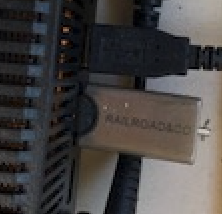
- Fig: USB stick

The FAQ linked below is intended to provide you with information about the USB stick and help you with its use.
- FAQs about the USB stick can be found in the post Notes on the Railroad&Co. USB stick
Tip: Avoid constantly unplugging and plugging it back in
- Mr. Freiwald writes in this post in the forum:
The USB stick should not be constantly plugged in and unplugged, but should ideally remain permanently connected to the PC to which the model railway is connected. Using a short USB cable for the stick is highly recommended.
Die Bearbeitung der Daten auf einem getrennten "Büro-PC" ohne angeschlossene Modellbahn ist auch ohne Stick möglich.
USB-Stecker ausgeleiert
Aus gegebenem Anlass und weil dies immer wieder nicht gut gehandhabt wird, möchte ich auf folgendes hinweisen:
- USB-Stecker neigen dazu "auszuleiern", wenn Sie häufig aus einer USB-Buchse aus- und wieder eingesteckt werden. Dies kann dann irgendwann auch zu Kontaktproblemen führen.
Austausch von defekten USB-Sticks
TrainController 7, 8 und 9
Der Austausch von defekten USB-Sticks für TrainController 7, 8 und 9 endete unwiderruflich am 02.08.2024. Weitere Hinweise können unter freiwaldsoftware.de nachgelesen werden.
Der Stick wurde beschädigt
Er funktioniert nicht mehr und im Windows Explorer wird kein Laufwerksbuchstabe für den Stick angezeigt. Dasselbe passiert auch auf anderen Computern. Was nun?
Dann ist der Stick vermutlich nicht mehr funktionsfähig. Ein Austausch ist nicht mehr möglich. Wenn Sie die Software weiter verwenden möchten, so müssen Sie aber natürlich keine komplett neue Vollversion kaufen. Ein Upgrade auf die aktuelle Version ist auch mit defektem Stick möglich. Nehmen Sie dazu Kontakt zu Freiwald Software auf. Werfen Sie den Stick auf keinen Fall weg. Er wird auf jeden Fall noch für ein Upgrade benötigt. Und schicken Sie den Stick auf keinen Fall unaufgefordert an uns zurück.
Weblinks
- Quelle: Forenbeitrag
- defekte USB-Sticks: freiwaldsoftware.de
- TC10: TrainController ohne USB-Stick
- -- Wohlmannstetter 22:11, 25. Jan. 2010
- bearbeitet: Uslex 18:11, 20. Mär. 2022 (CET), Uslex 09:53, 10. Jan. 2023 (CET), Uslex 13:57, 16. Mai 2024 (CEST), Uslex 10:29, 2. Jun. 2025 (CEST)

